Know which muscles are ready to train.
Valen is a workout tracker that shows which muscles have recovered and what to train today. Just log your sets.
No account. No wearable. No ads. Works offline.
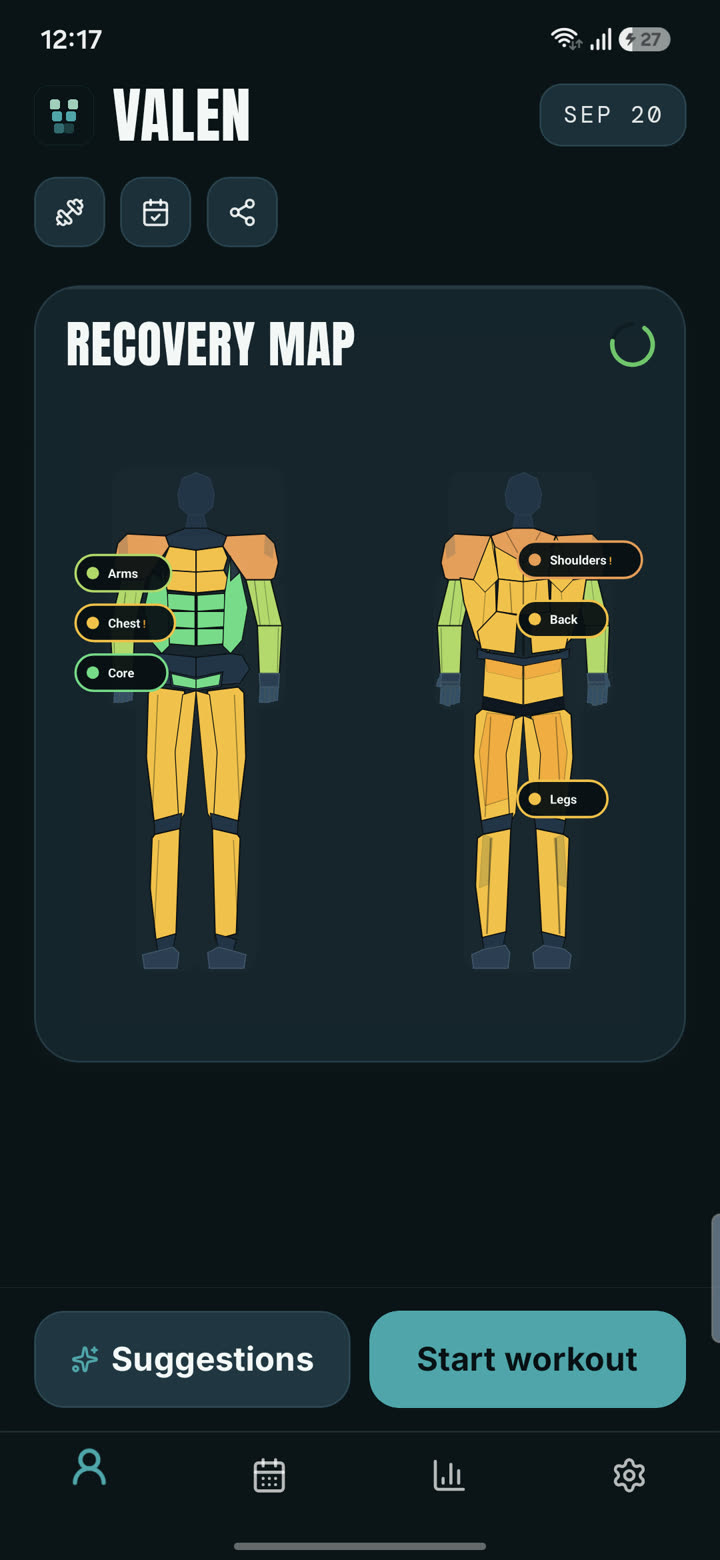
Your app says chest is recovered. Which part?
A bench press, an incline press and a dip load your chest in different ways. So do a lateral raise and an overhead press for your shoulders, or a squat and a Romanian deadlift for your legs. Apps that keep one score per muscle group cannot see that difference, so you end up resting what is ready or training what is not, and your weak areas fall further behind.
One score per muscle group
Ready or not? Which part? No way to tell.
Valen, per subzone
Example for illustration. Train incline today, leave dips for tomorrow.
Log a set. Valen does the recovery maths.
Recovery comes from one thing only: what you logged. No heart rate, no sleep score, no extra hardware.
Log a set, or just a muscle group
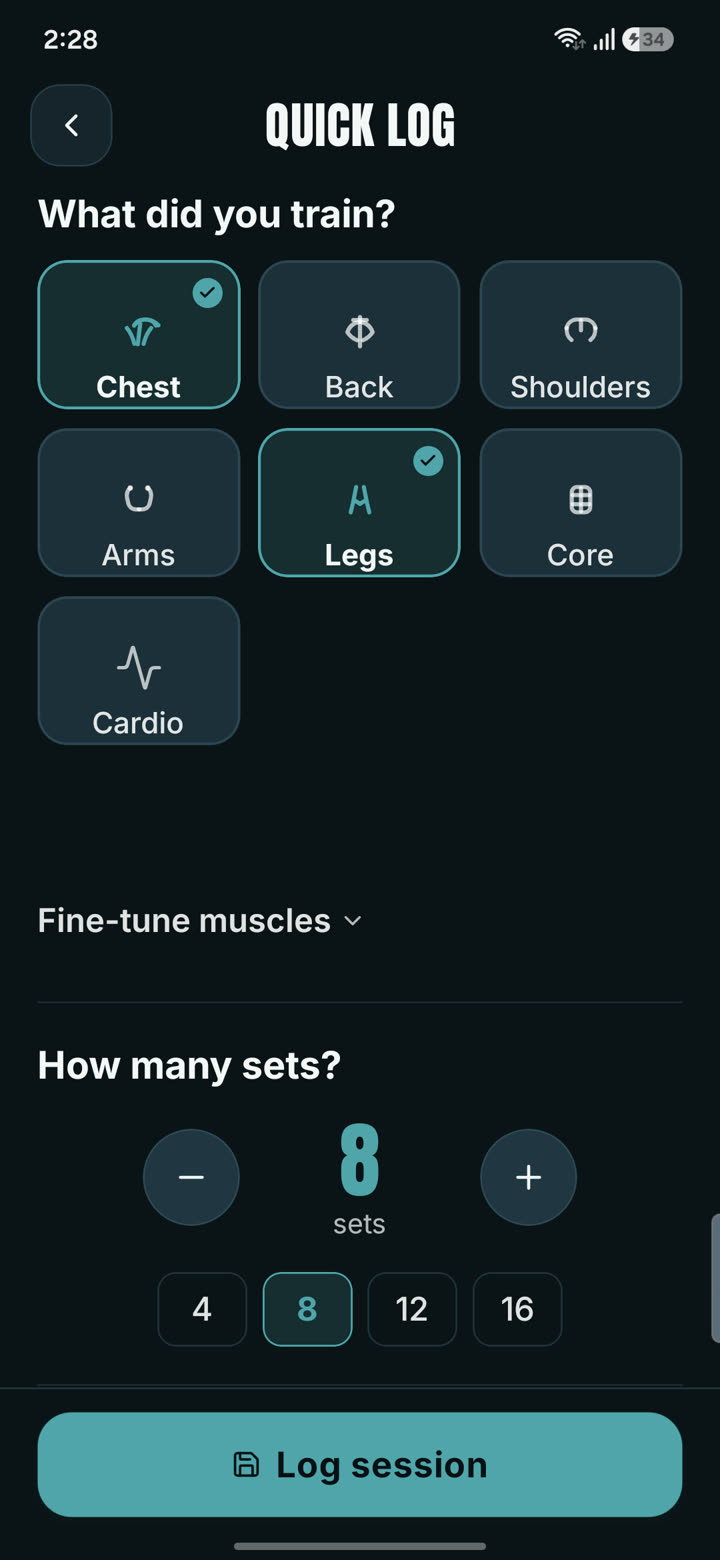
Log full sets with weight, reps and RPE, or use Quick Log: tap the muscles you trained, pick a set count from 1 to 30, save. Nine sets of chest is spread across upper, mid and lower chest for you.
Every set adds fatigue where it landed
The amount scales with the weight compared with a baseline for that lift, the reps and how hard the set was, then splits across the subzones the exercise works. A cap stops one huge session from skewing your map, and your experience level tunes the pace.
Fatigue fades hour by hour
Recovery is continuous, not reset at midnight. Open the app and see each subzone as ready, recovering or fatigued. Tap any muscle for its subzone breakdown. Mark a muscle sore or injured and it recovers more slowly.
Time for fatigue to halve, by muscle group
Recovery rates are modelled estimates informed by published research on muscle recovery, not measurements of your body. Valen is a training tool and gives no medical advice.
From what is ready, to what is lagging, to the fix.
Finds the muscle that is falling behind, then builds the fix
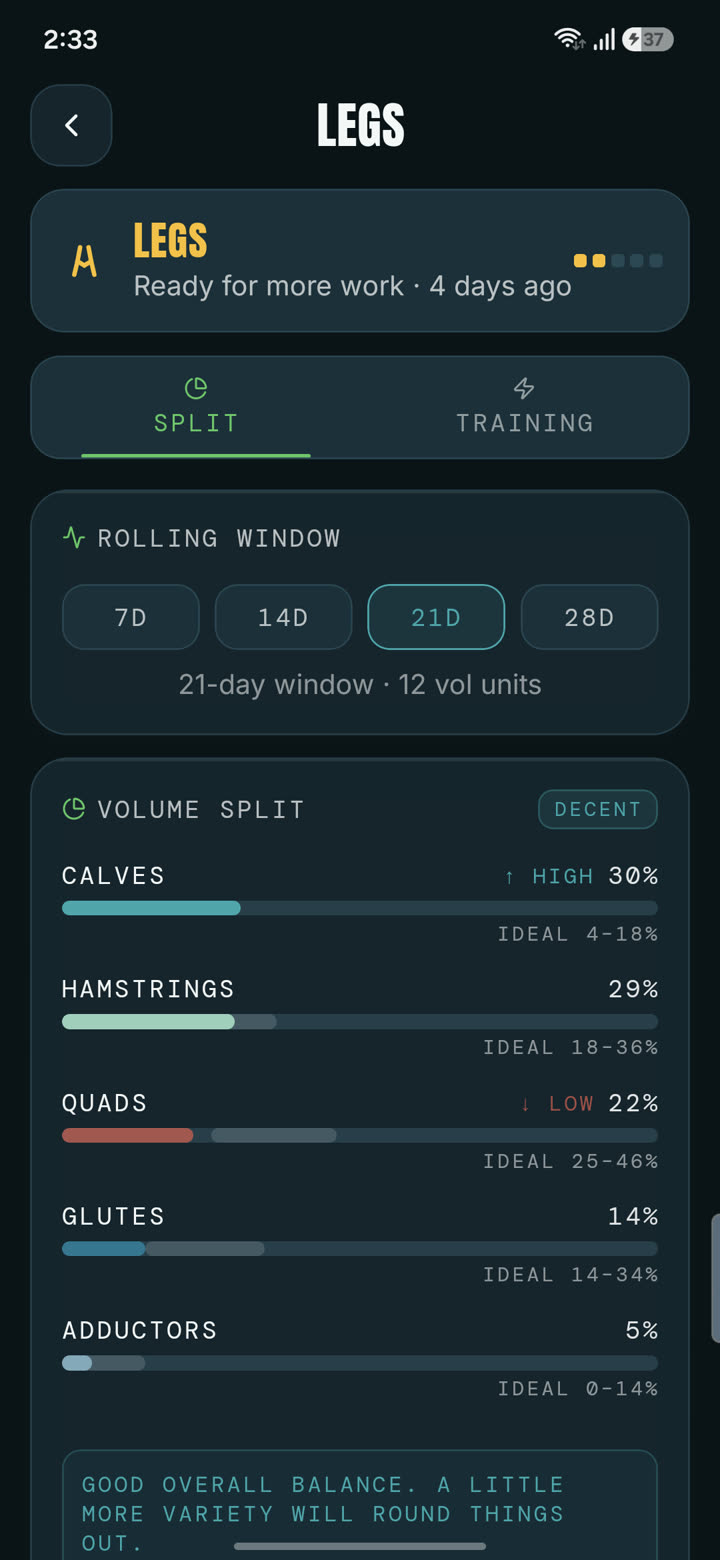
Valen looks at your last 21 days and works out each subzone's share of your volume within its muscle group. If your lateral delts are under 28% of your shoulder work, or your hamstrings trail your quads, it flags it.
Then it picks up to four exercises, three sets each, that cover the biggest gaps in the least time. It will not guess from one workout: it needs at least four sessions before it gives a verdict.
- The healthy ranges are training guidelines drawn from programming principles, not medical advice.
- Injured zones are left out of the fix automatically.
Tells you what to train today, from what has recovered
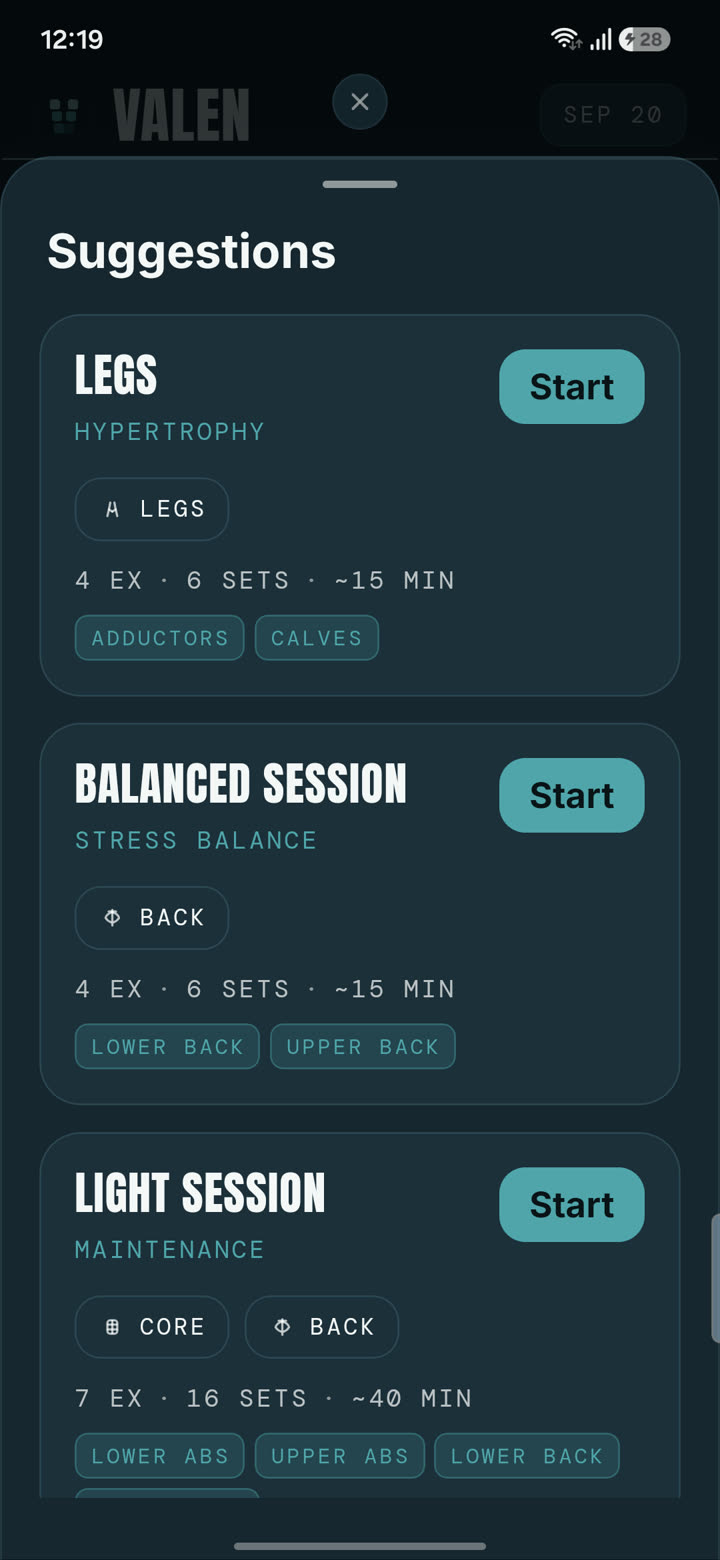
Open the app and Valen ranks sessions by how ready each muscle is. It steers away from anything fatigued, sore or injured and toward what is ready, so your week is not tied to "Monday is chest".
- Suggestions come with the exercises and set counts already filled in.
- Your split, days per week and goal shape what it offers.
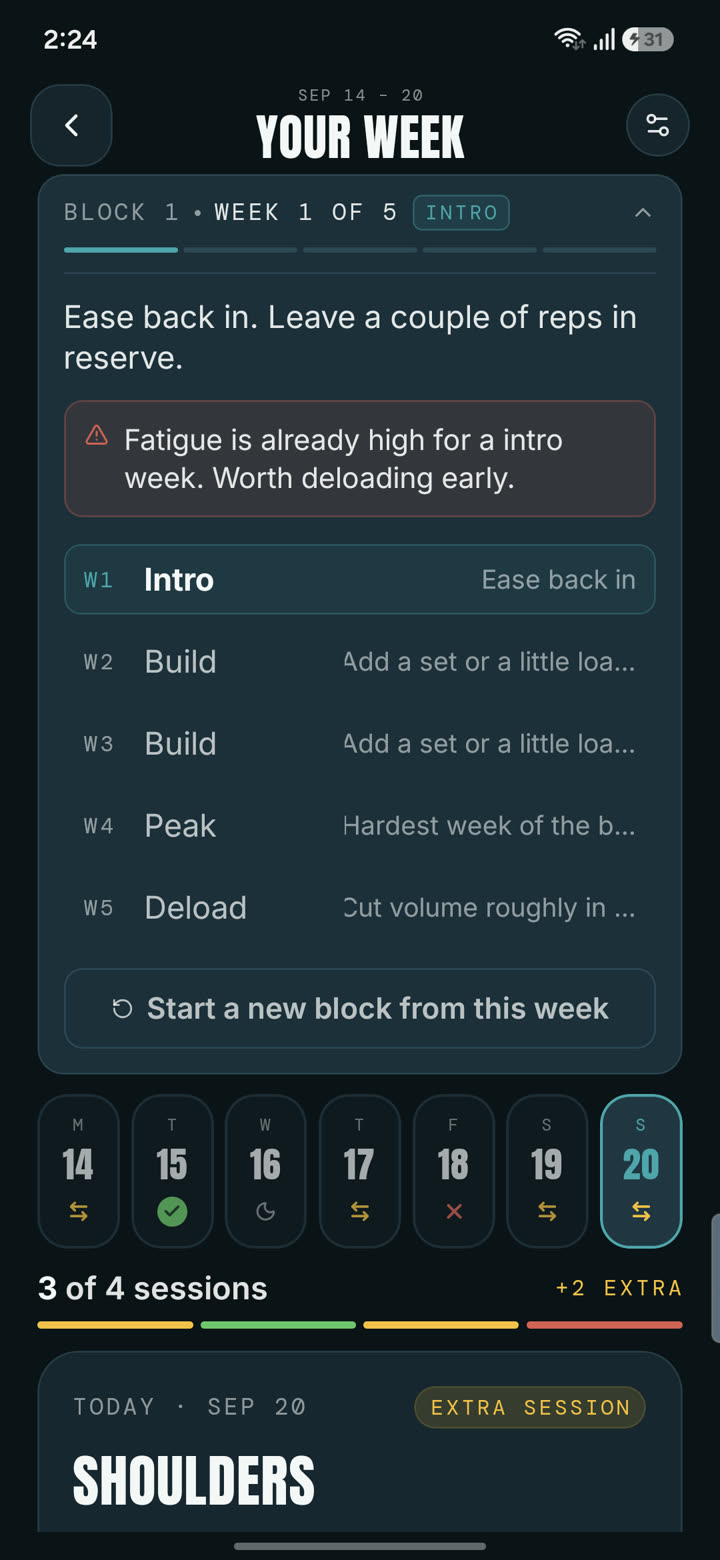
Plans your week around recovery, in 4 to 6 week blocks
Pick your split and how many days you train. Valen lays out the week and reshuffles it when a muscle is not ready, swapping in a lighter session or a rest day instead of running you into it.
On top of that sits a training block that goes intro, build, peak, deload. Weekly set targets sit between your own minimum and maximum effective volume, so a beginner and an advanced lifter get different numbers.
- The peak week stops at 85% of the modelled ceiling on purpose. That ceiling is an estimate, so Valen does not aim you at it.
- The block is worked out from one start date, so missing a month never breaks it.
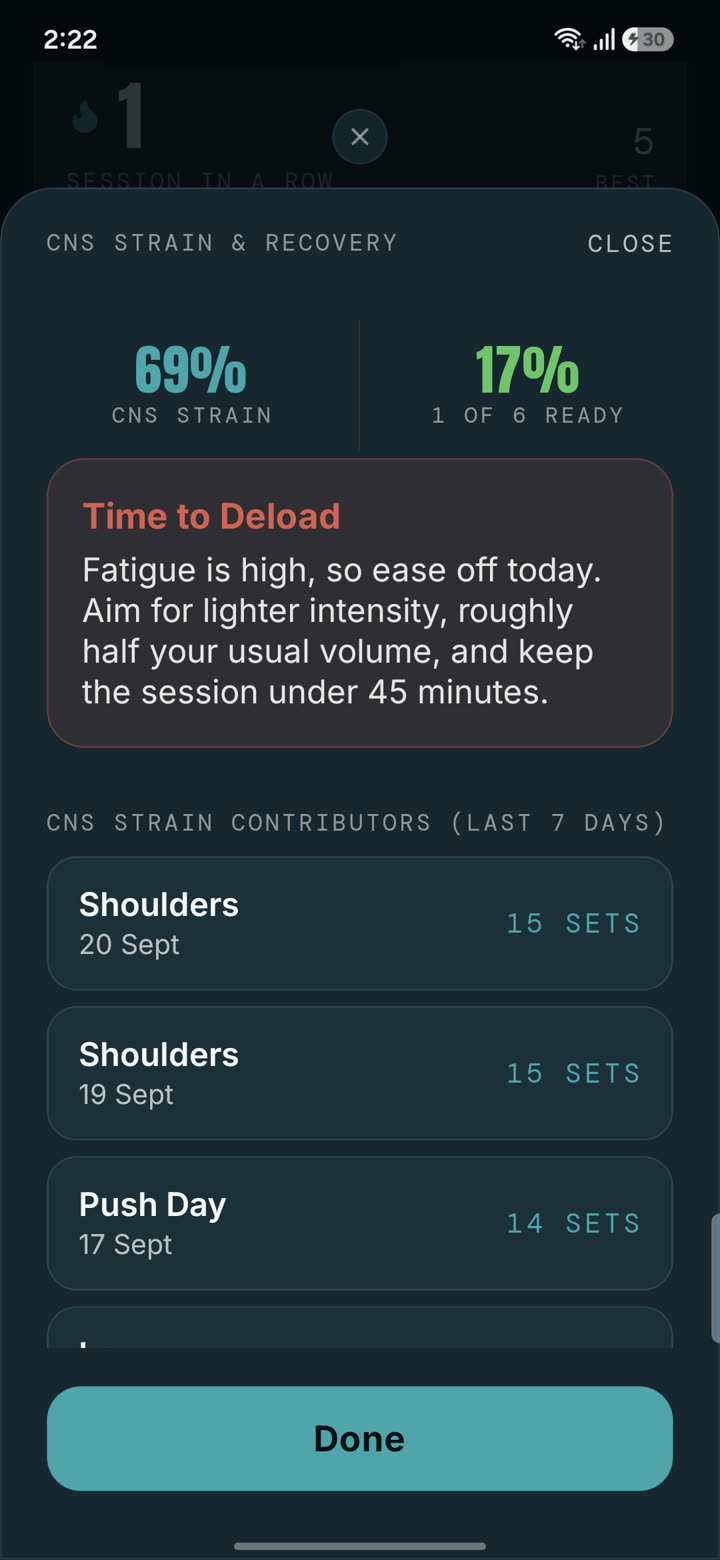
Shows where your volume really goes
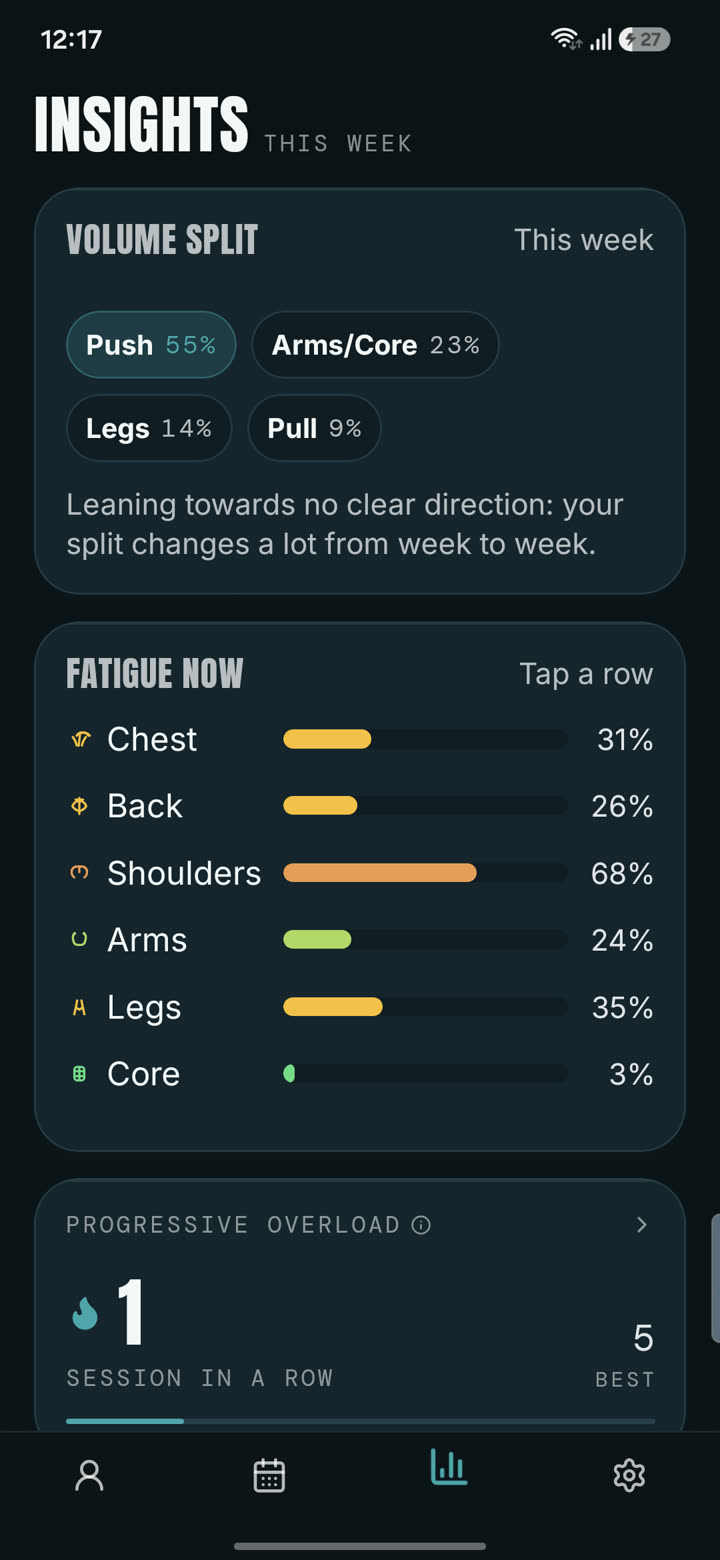
See your push and pull split, your sets per muscle group against weekly targets, and how fatigued each group is right now. When you push more than you pull, or one area soaks up most of your volume, it shows up as a number you can act on.
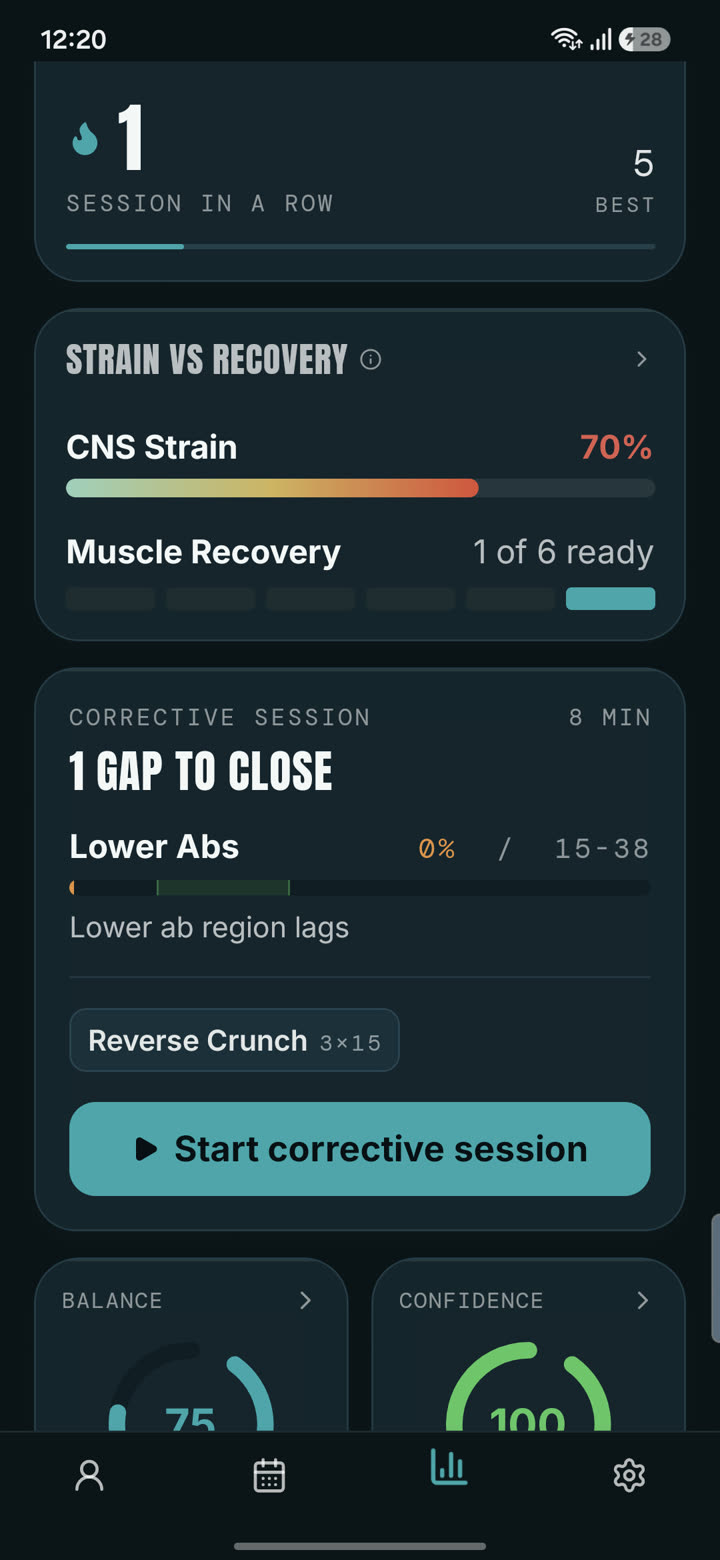
- Strain vs recovery compares how hard you are training with how recovered you are.
- Score breakdowns explain exactly why each score moved.
- Split over time shows how the balance changes week to week.
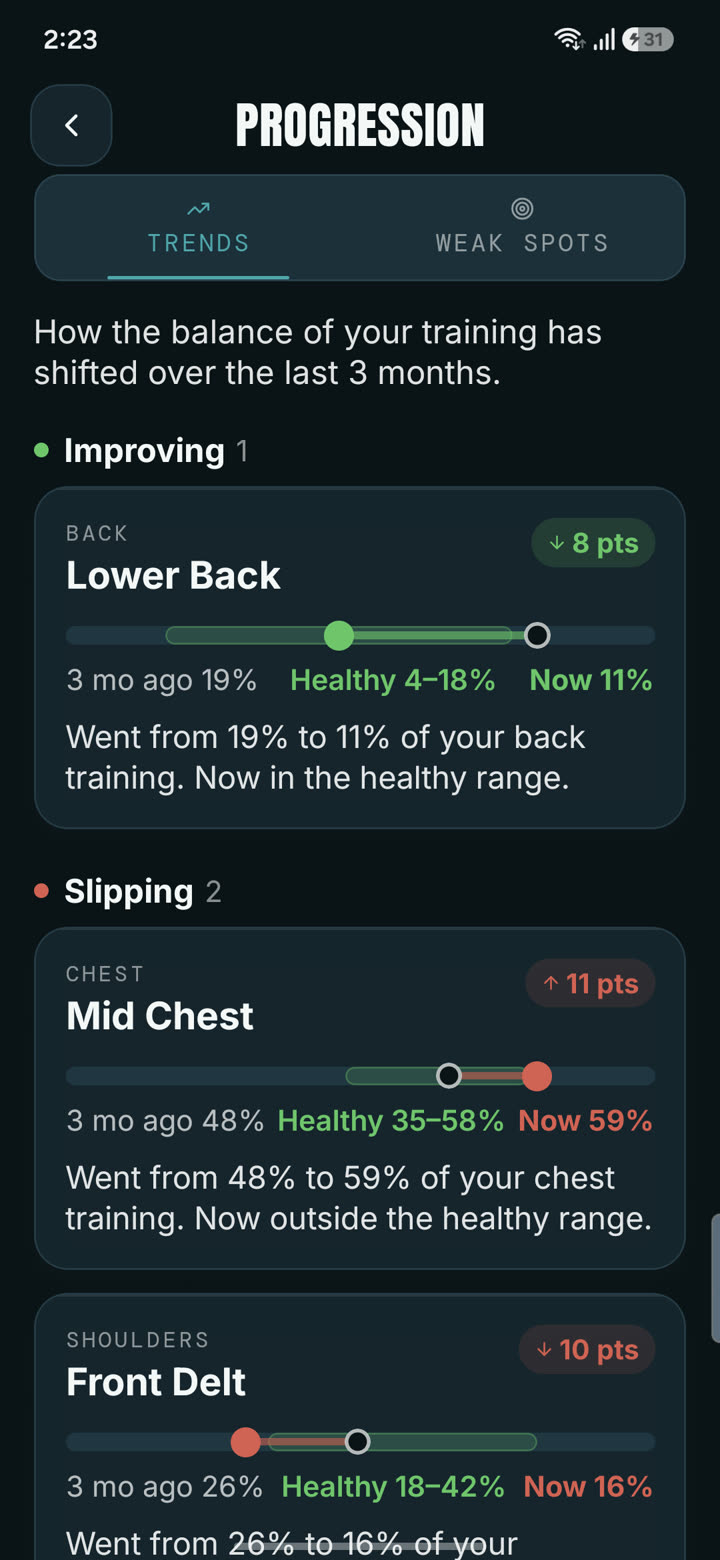
Tracks the lifts, not just the logging
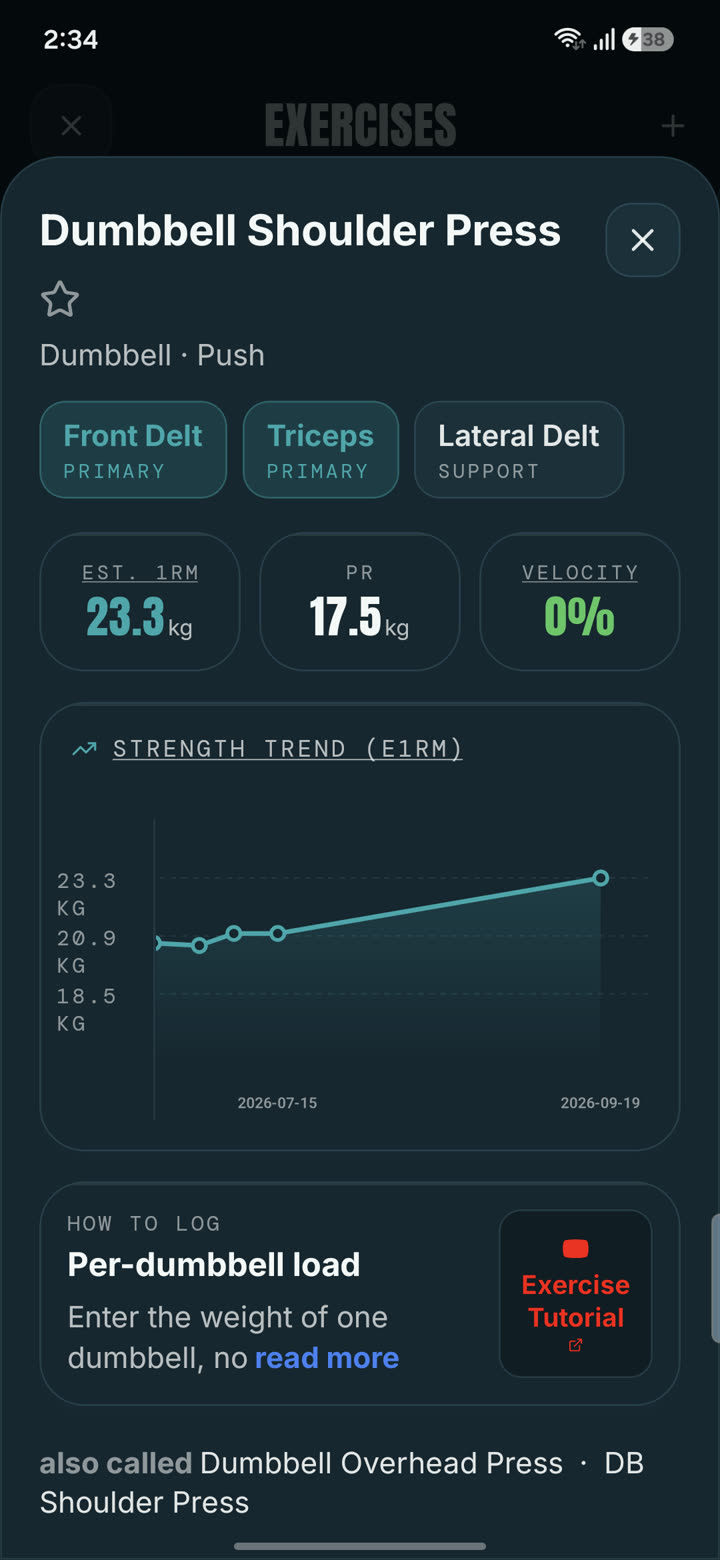
Every exercise gets an estimated one rep max, all time bests and a progressive overload streak, so you can tell whether a lift is climbing, stalled or slipping. The timeline keeps every session in one calendar.
- The progressive overload streak is included with every plan.
- Physique trajectory shows how your muscle balance moved over three months: which areas are improving, which are slipping, and by how many points.
- Weak spots lists what is under-trained and the exercises you already do that fix it.
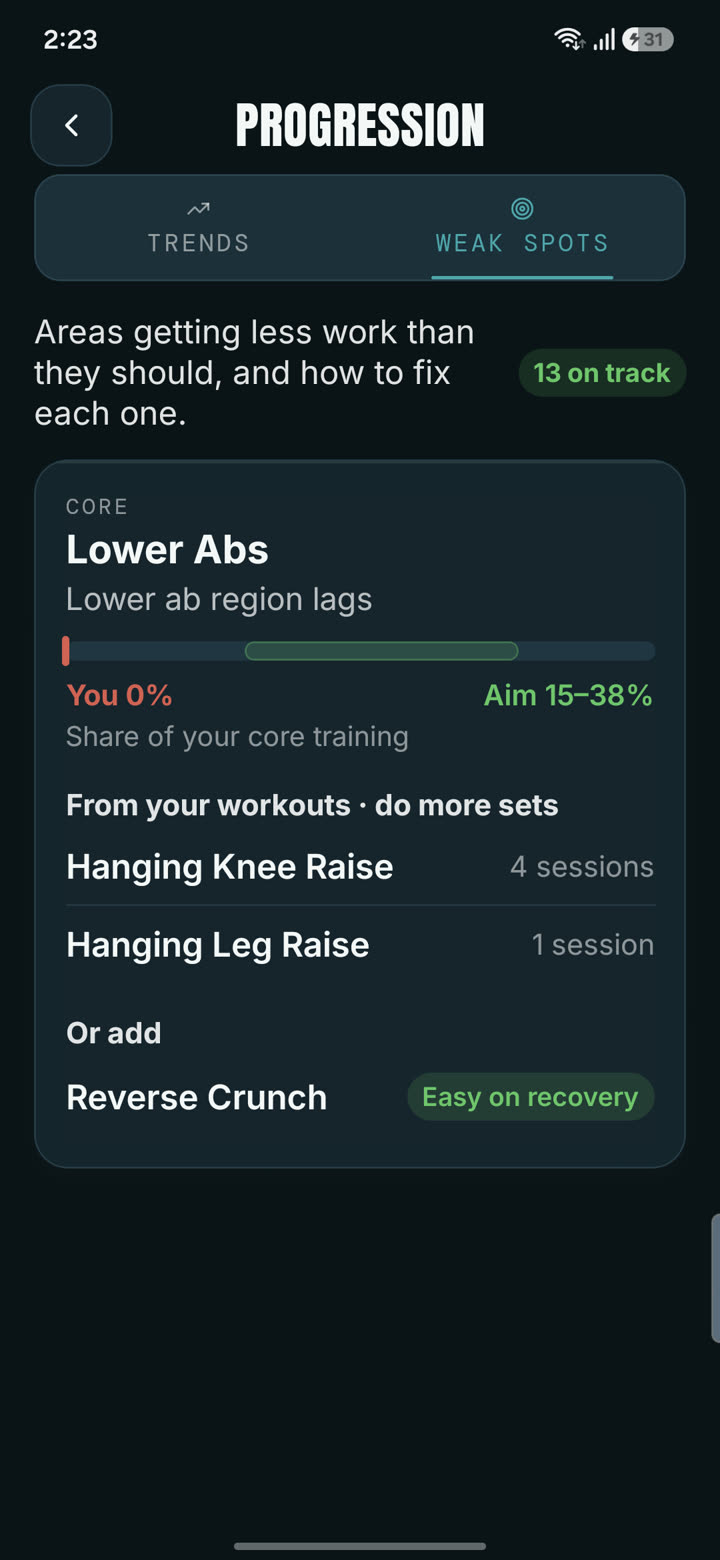
What a neglected rear delt looks like in the data.
Trained shoulders three times a week. Rear delts got 4% of the work.
A per-muscle tracker would have said "shoulders: recovered" every week. Subzone tracking shows the front delts doing 52% of the volume and the rear delts almost none, then builds a short corrective session to close the gap.
The numbers, the six week fix, and an honest look at what this does and does not mean.
Read the full case studyShoulder volume share*
Healthy range for rear delts: 14% to 36% of shoulder volume. *Illustrative only, based on real experiences of the researchers behind Valen. Not medical advice.
Keep your routine. Point it at your goal.
Saved routines
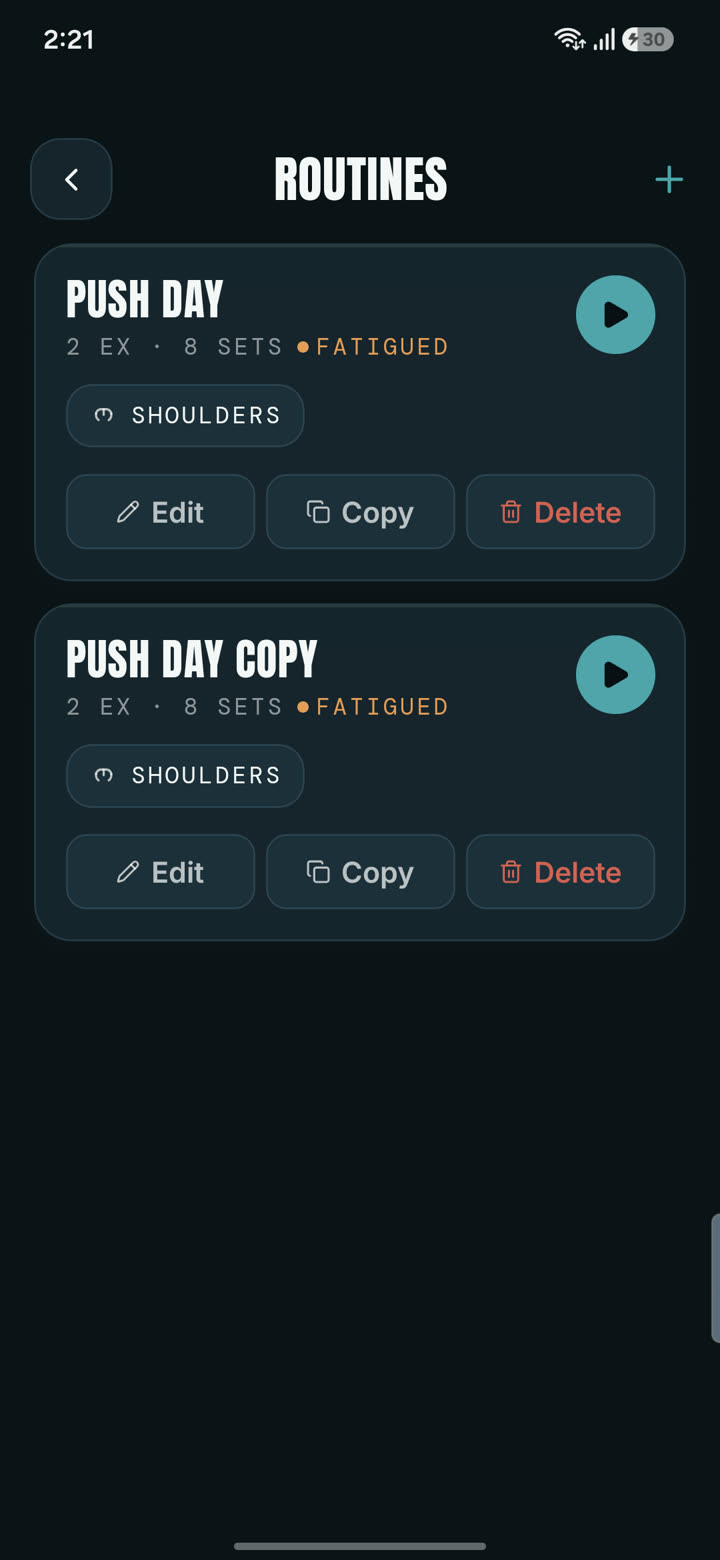
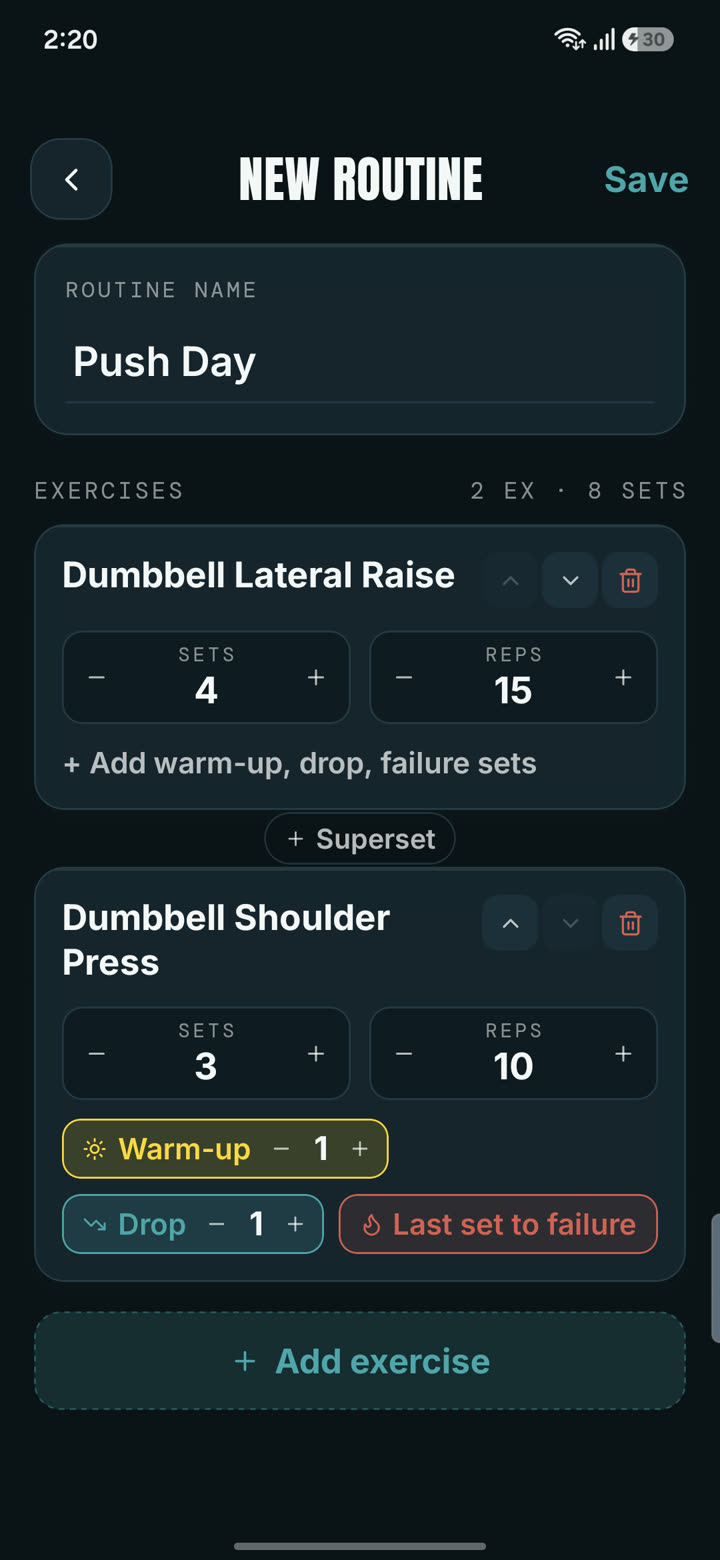
Save any exercise list as a named routine, or turn a finished session into one. Each routine shows a recovery dot for every muscle it hits, so you can see that Push Day is ready but your front delts are not.
Physique goals
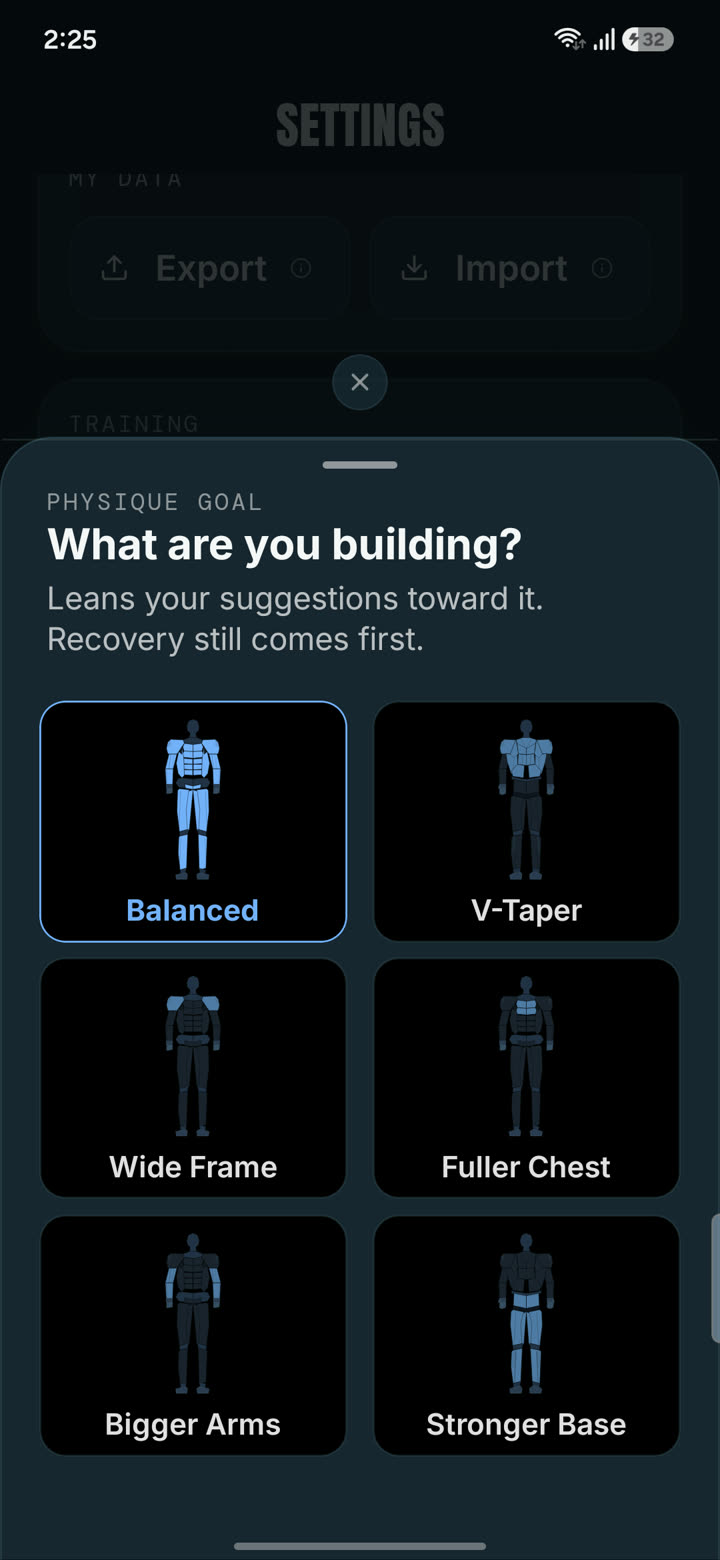
Choose Balanced, V-Taper, Wide Frame, Fuller Chest, Bigger Arms or Stronger Base. Valen leans exercise picks toward the subzones that build that look, without ever overriding recovery, injury or volume limits.
Useful on day one
Choose your split, training days and goal, then rate how each muscle group feels right now. The map starts with a sensible picture instead of a blank body.
Fast enough to use between sets.
Every screen was designed for sweaty thumbs, one hand and a phone that might have no signal.
Quick Log
Chest, 9 sets, done. Pick muscles, set a number, save. Supporting muscles count as partial volume automatically.
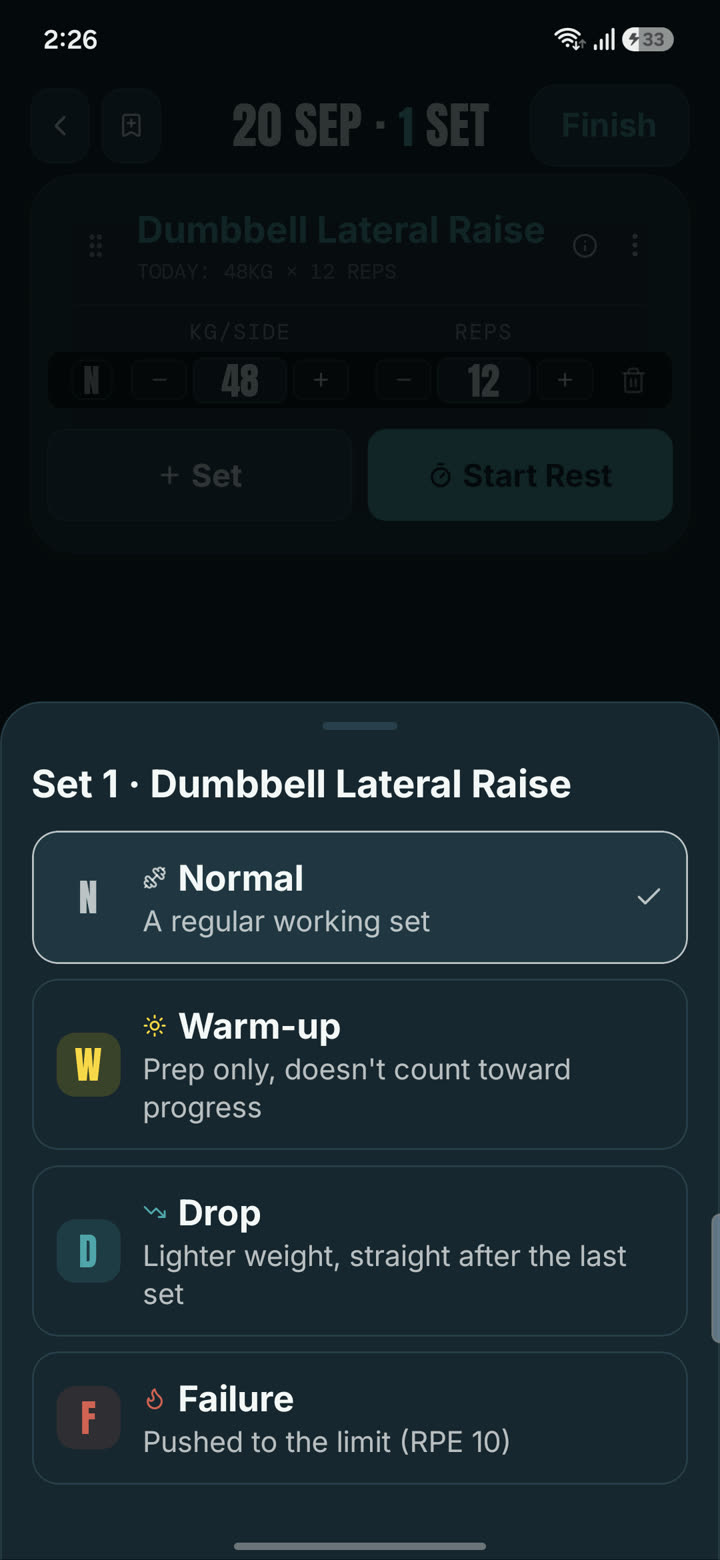
Warm-up, drop and failure sets
Mark a set as what it is, so warm-ups do not count like working sets and a drop set is not mistaken for a heavy one.
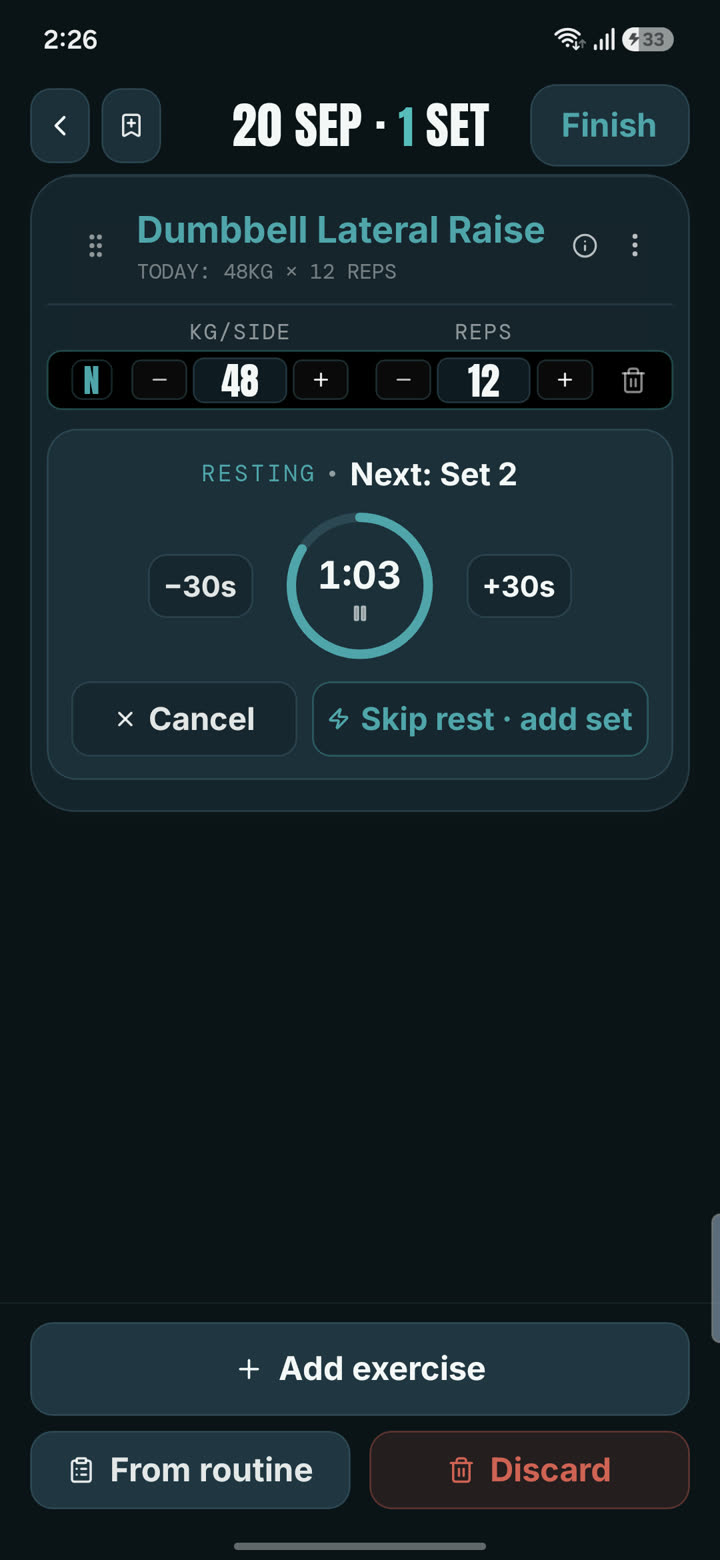
Smart Rest PRO
Rest time scales with how draining the lift is, how close the weight is to your best, and which set you are on. Shorter for isolation lifts, longer for heavy compounds. It runs as a notification, so it works with your phone locked.
Plate calculator
Enter a target weight and see which plates to load on each side. No mental arithmetic between sets.
Search that speaks gym
Type "db curl" or "bb row" and find the exercise. 209 exercises, each showing the subzones it works.
Home screen widgets PRO
Three home screen widgets: Readiness, Weekly Coverage and Today's Session. See what is ready without opening the app.
kg or lb, your call
Switch any time. Weights are stored in one unit, so your history never gets rescaled when you change.
Fully offline
Logging and every recovery calculation run on your phone. A basement gym with no signal is fine.
Private by default
Data stays on your device. No account. Optional encrypted cloud backup for Pro, which you can delete whenever you want.
Start with the full recovery map.
The recovery map, unlimited logging, unlimited history and daily suggestions are on every plan. Pro adds the adaptive weekly plan, the corrective session, deeper insights, Smart Rest, widgets and cloud backup, at $24.99 a year or $49.99 once.
Questions lifters ask first
What is a muscle subzone?
A subzone is one region of a muscle group. Valen splits the body into 24 of them, such as upper, mid and lower chest, front, lateral and rear delts, lats, rhomboids and upper back, quads, hamstrings, glutes and calves. Every exercise in the app is mapped to the subzones it works, so a set of incline press adds fatigue mainly to upper chest and a set of dips to lower chest.
How does Valen work out how recovered a muscle is?
Every set you log adds fatigue to the subzones it worked. The amount depends on the weight compared with a baseline for that lift, the reps, how hard the set was (RPE 1 to 10) and how demanding the exercise is. That fatigue then fades hour by hour. The half life depends on the muscle group: about 24 hours for core, 25 for arms, 27 for shoulders, 31 for chest, 35 for back and 37 for legs. If you mark a muscle as sore or injured it fades more slowly.
How accurate is it without a wearable?
It is a model, not a measurement. It is built from your logged training and published recovery research, and it does not read your body. That is why Valen shows readiness as a range from ready to fatigued instead of a made-up precise number, and why you can mark a muscle sore or injured to override it. Nothing in the app is medical advice.
Do I have to give up my routine?
No. You can save any exercise list as a named routine, or save a finished session as one, and keep training the way you like. Each routine shows a recovery dot for every muscle it hits, so you can see that Push Day is ready but your front delts are not. Saved routines are unlimited and free.
What is the corrective session?
Valen looks at your last 21 days of training and compares each subzone's share of your volume with a healthy range for that muscle group. If one is falling behind, it builds a short session of up to four exercises, three sets each, chosen to cover the biggest gaps in the least time. It needs at least four sessions in that window before it gives a verdict. The ranges are training guidelines, not medical advice. The corrective session is a Pro feature.
What is a training block?
A block is a run of 4, 5 or 6 weeks that builds up your weekly volume and then drops it. It goes intro, build, peak, deload. Weekly set targets sit between your minimum and maximum effective volume for each muscle, and they scale with your experience level. The peak week stops at 85% of the modelled ceiling on purpose, because that ceiling is an estimate. Blocks are part of the Pro weekly planner.
What is free and what is Pro?
Free includes the full recovery map, unlimited workout logging with Quick Log, 209 exercises, daily session suggestions, saved routines, a rest timer with notification, the plate calculator, the progressive overload streak and unlimited history. Pro adds the adaptive weekly plan and training blocks, score breakdowns, strain vs recovery, the corrective session, split over time, training intelligence, physique trajectory, Smart Rest, home screen widgets and encrypted cloud backup. Pro is $24.99 a year or $49.99 once, with local pricing at checkout.
Does it work offline and is my data private?
Yes to both. Logging and all recovery calculations run on your phone with no connection, and your training data stays on the device by default. There is no account to create. Cloud backup is optional, encrypted, Pro only, and you can delete it any time.
Can I use kg or lb?
Either, and you can switch whenever you like. Weights are stored in one unit internally, so switching only changes how they are displayed and never rescales your history.
What if I miss a few days?
The map catches up on its own. Recovery decays continuously, so a missed week just means your muscles recovered, and the map shows it. Nothing breaks and there is nothing to fix.
Is Valen on iPhone?
iOS is coming soon. For now Valen is available on Google Play.
How is Valen different from Hevy, Strong or Fitbod?
Hevy and Strong are logbooks: they record what you did. Fitbod tracks recovery per muscle group. Valen tracks it per subzone, diagnoses which one is behind, and builds the fix. The comparison pages linked above go through each in detail.
Is Valen easy to learn?
Yes. Quick Log records a session in a few taps: pick the muscle groups you trained, set a number of sets, save. Recovery is calculated automatically from that, and Valen suggests what is ready to train today, so you do not need to know any training science to use it. The full workout log, with weight, reps, RPE and set types, is there when you want more detail.
Is Valen good for beginners?
Yes. You never have to interpret a chart to use it. The map shows a colour and a percentage per muscle, and the daily suggestion tells you what to train. Experienced lifters get the deeper layers, such as subzone drill-downs, volume targets and the corrective session, when they want them.
Is logging in Valen fast?
Fast enough, but not the fastest. For set-by-set entry Strong is widely regarded as the quickest logger, and Valen does not claim to beat it. In Valen you pick the exercise, set weight and reps, and tap Log. Quick Log is faster than any set-by-set entry when you only want to record what you trained.
Can I export my data, or import it from Hevy or Strong?
You can export everything (history, custom exercises, settings) as a JSON file to your Downloads folder, on the free plan too, and import that file back. Valen cannot export CSV and cannot import CSV files from Hevy, Strong or other apps, so history from another app does not carry over.
Does Valen work with a smartwatch, Wear OS or Health Connect?
No. Valen has no watch app and does not read from or write to Health Connect or Google Fit. You log on your phone. Recovery is calculated only from the sets you log, so nothing needs to be connected.
Are there ads, and is anything capped on the free plan?
There are no ads on any plan and no social feed. The free plan has no cap on logged sessions, saved routines or custom exercises. Pro adds features such as the adaptive weekly plan, the corrective session, Smart Rest, widgets and cloud backup.
Do I need an account, and what data does Valen collect?
No account is needed. Your training data stays on your phone by default. Valen does send anonymous product analytics and crash reports, which are on by default, never include personal information, and can be turned off in Settings under About and Support. Cloud backup is optional, Pro only, and needs a Google sign-in.
What is the best app for muscle recovery without a wearable?
Valen estimates recovery for 24 muscle subzones from your workout log alone, with no wearable, heart rate monitor or sleep tracker. Its numbers are model estimates, not measurements, and you can mark a muscle as sore or injured to override them.
Is Valen safe to rely on if it is built by a small team?
It carries the ordinary risk of any small independent app. Your data lives on your phone and can be exported as a file at any time, and Pro can be bought once as a lifetime purchase. Neither removes the risk that a small app changes or stops being updated.
What Valen does not do.
Valen has no smartwatch app and no Health Connect link, it cannot import history from Hevy or Strong, and it does not include percentage programs such as 5/3/1. Recovery percentages are estimates from your log, not sensor readings.
Stop guessing which part of the muscle is ready.
Log your next session and watch the map update.
iOS coming soon.
